FiltersBarComponent
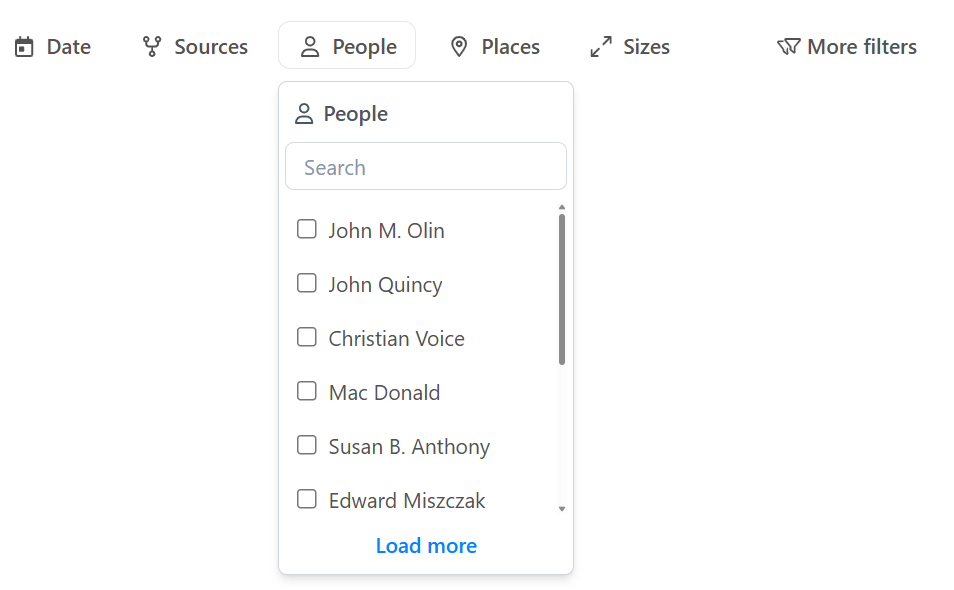
The FiltersBarComponent displays all active filters as buttons, provides clear-all and basket management, and handles overflow.
It acts as the main UI for interacting with applied filters.
Features
- Displays all active filters as buttons
- Supports clearing all filters or basket
- Integrates with aggregations and advanced filters
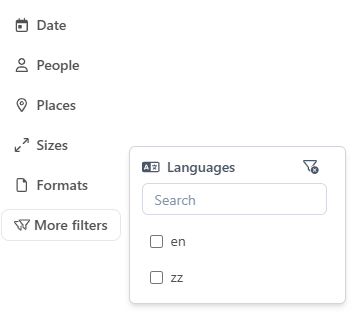
- Handles overflow with a "More" button for additional filters
Usages
Basic Example
sample.component.ts
import { FiltersBarComponent } from "@angular/atomic-angular";

@Component({
    selector: "sample-component",
    imports: [FiltersBarComponent],
    template: `
    <filters-bar />
    `,
})
export class SampleComponent {}
Advanced Example with Customization
sample.component.ts
import { FiltersBarComponent } from "@angular/atomic-angular";
@Component({
    selector: "sample-component",
    imports: [FiltersBarComponent],
    template: `
    <filters-bar
        direction="vertical"
        position="right"
        [excludeFilters]="['Sources']"
        [filtersCount]="9"
    />
    `,
})
export class SampleComponent {}
API Reference
Inputs
| Name | Type | Description |
|---|---|---|
direction | horizontal | vertical | Direction of the filter bar (default: horizontal) |
position | Placement | Position of the dropdown filters (default: bottom-start) |
excludeFilters | string[] | List of filter names to exclude from the bar (default: []) |
filtersCount | number | Maximum number of filters to display before overflow (default: 5) |
filtersCount can be customized using the Angular Injection Token: FILTERS_BREAKPOINT.
This allows you to define how many filters should be displayed before the "More" button appears.
Methods
| Method | Description |
|---|---|
clearFilters() | Removes all active filters from the filter bar. Use this to reset the filter state. |
clearBasket() | Empties the basket, removing all selected items. |
Outputs
| Event | Description |
|---|---|
onClearFilters | Emitted when all filters are cleared. |
onClearBasket | Emitted when the basket is cleared. |
Schemas
Component Interaction
Store Interaction
Notes
- The filters bar is highly modular and can be used independently or with other filter components.
- All filter state is managed via stores (
AggregationsStore,QueryParamsStore, etc.), ensuring consistency across the UI.